






The short answer
Vlog editing services turn hours of raw footage into one story: a hook in the first seconds, a clear arc, tight pacing, music, captions, sound design and B-roll. At EditBros, family, travel and lifestyle vloggers get a dedicated vlog editor from $1,499 a month (1–2 videos), with 2 thumbnail options per video, unlimited revisions and 24–72 hour turnaround.
Why are vlogs so hard to edit?
A scripted video is planned before the camera rolls. A vlog is found afterward: you film the drive, the delays, the meltdown at lunch and the moment the kids see the pool, and the edit decides what the video is about.
- Lots of footage, one video. Most of it never makes the cut, but someone must watch it all to find what does.
- No script. The story, the opening and the payoff are chosen in the edit.
- Dead air. Driving, waiting, setting up. Pacing cuts it without losing the feeling of being there.
- Messy audio. Wind, traffic, busy restaurants and kids talking over each other.
- Mixed cameras. Phone, action cam and drone clips look different but must cut together.
- It has to feel like you. People subscribe to a person or a family, so the edit keeps your humor and timing.
Weighing DIY? See how long it takes to edit a YouTube video.
How YouTube vlog editing works, step by step
The order we recommend, whether you hire an editor or cut it yourself:
- Log everything first. Watch every clip and mark laughs, reveals, reactions and payoffs, plus any bad audio.
- Write the story in one line. “We have one day to find the best tacos in town.” If you can’t say what the vlog is about in one sentence, viewers won’t know either.
- Hook in the first seconds. Open on the most interesting moment or question, then rewind to explain. YouTube Studio’s Intro key moment shows what share of viewers is still watching after 30 seconds.
- Build an arc. Setup (the plan or problem), rising moments (what goes wrong), payoff (the reveal), then a short wrap-up. Even a day-in-the-life needs a question that gets answered.
- Pace for attention. Cut pauses and repeats, vary shot length, and slow down for emotional beats. Then check your retention report’s dips, which YouTube says mark moments viewers skipped or stopped watching.
- Fix sound, then add music. Clean up dialogue and noise first. Change music when the mood changes, keep it under the dialogue, and go easy on sound effects.
- Cover with B-roll. Establishing shots, details and reactions hide jump cuts and give viewers a breather.
- Caption it. Add on-screen text for jokes and emphasis, plus accurate captions: YouTube says automatic captions can be wrong with accents, dialects or background noise, so review them.
- Package it. Chapters for long vlogs, an end screen to your next video, and a thumbnail that matches the hook.
Family and travel vlogs we’ve edited
Many creators we’ve edited for make family, lifestyle and travel vlogs, including Sierra & Rhia FAM (54.8M subscribers), Noob Family (5.84M), McClure Twins (4.97M), Clara Dao (4M), Brennen Taylor (3.82M) and NEN FAM (3.67M). Ten real videos our team edited:
| Channel | Video | Type | Views |
|---|---|---|---|
| Dangie Bros | Surviving on Homemade Inflatable House Boats! | Adventure | 4,224,709 |
| McClure Twins | Spending 24 Hours in a Trampoline Park | Family challenge | 3,707,602 |
| Sierra & Rhia FAM | The Floor Is Lava with Sierra and Rhia | Kids and family | 1,523,719 |
| Flying Wheels | I Gave My Son $4,000 and Took Him to a Car Auction | Family | 1,040,315 |
| Clara Dao | Inside My Parents’ 11,000 sq ft Mansion in Hanoi | Travel and family | 960,558 |
| Heartbreaks Family | My Baby Has an Unknown Virus… | Family | 815,151 |
| Brennen Taylor | Florida’s Hidden Backyard Restaurant With a 4-Year Wait | Travel and food | 803,911 |
| Offshore Tales | 3 Days Eating Only What I Catch | Outdoor adventure | 521,548 |
| Noob Family | Trapped in 6-7 for 24 Hours! | Family challenge | 511,088 |
| The Rose Family | Traveling 24 Hours to Our Dream Vacation | Family travel | 401,800 |
Views as of 12 November 2026. More examples on our work page.
Family vlog editing: the rules that matter in 2026
Made for kids, or not?
YouTube requires every creator to set each channel or video as “made for kids” or not, under the US children’s privacy law COPPA. A video is made for kids when children are its primary audience, or when it is otherwise directed to children, so featuring your kids doesn’t settle it: YouTube’s guidance gives a family vlog for parents about an amusement park trip as a general-audience example.
Getting it wrong can bring consequences on YouTube and under COPPA, which the FTC has said can apply to channel owners.
Why it matters in the edit: YouTube’s factors include kid-directed language, songs for children, play-acting and characters that appeal to kids, so nursery-style music or cartoon overlays can push a video toward “made for kids.” And made-for-kids videos lose comments, personalized ads, the notification bell, cards and end screens, so skip the end-screen outro.
YouTube’s child safety policy
YouTube’s child safety policy bans content that endangers the emotional and physical well-being of minors (anyone under 18). What matters most for the edit:
- No risky stunts. The policy says never to put minors in harmful situations that could lead to injury, such as dangerous stunts, challenges, dares or pranks. Cut anything risky.
- No private spaces. The same guidance says not to post videos of minors filmed in private spaces at home, such as bedrooms or bathrooms. Plan shoots in shared rooms, the yard or out and about.
- No personal details. Its guidance on protecting minors includes not revealing a child’s personal details: blur or cut school names, house numbers and street signs.
- Fewer features. YouTube may turn off comments, live chat or recommendations on videos depicting children, even within the rules.
- Live streams. Streams with minors under 16 who aren’t visibly accompanied by an adult may be removed.
State laws on kids’ vlog earnings
Some US states now make vloggers save part of their earnings for the children they feature.
| State | In effect | What it requires |
|---|---|---|
| Illinois | 1 July 2024 | The first state law of its kind. If a child under 16 appears in at least 30% of a vlogger’s paid videos in 30 days, a share of gross earnings goes into a trust the child can access at 18. Vloggers must keep records, and the child can sue (Fisher Phillips). |
| California | 1 January 2025 | SB 764 covers California parents and families who vlog: if a child appears in at least 30% of paid content in a month (plus other conditions), part of the earnings goes into a trust, described by the bill’s author as 65% of a proportionate share of gross earnings. AB 1880 extends the Coogan Law to minors employed as content creators (California Senate, MSK). |
| Minnesota | 1 July 2025 | Children under 14 may not do paid content creation, judged by a similar 30% test. For featured minors, a share of earnings goes into a trust held until 18, and anyone shown as a minor can request deletion once they are 13 or older (Minnesota Statutes, Minnesota House). |
Utah, Arkansas and Montana have since passed related laws, each with rules on removing content that featured someone as a minor (MultiState, June 2025). Tip: these laws count how often each child appears in paid content, so log who is on screen in each video and what it earned.
Travel vlog editing: music, location titles and B-roll
- License every song. Music you don’t have rights to can trigger a Content ID claim, letting the rights holder block your video or run ads on it. YouTube Studio may let you trim the segment, erase the song or replace it.
- Use safe sources. YouTube says music from its Audio Library is copyright-safe and won’t be claimed. Creative Commons tracks need an artist credit in your description.
- Watch for background songs. Our view: treat any recognizable song in your footage, even from a café speaker, as a claim risk.
- Title every location. Name each new place on screen in one consistent style, and check local spellings. A map animation helps on multi-stop days.
- Chapter the trip. Reuse the place names as chapters. YouTube needs the first timestamp at 00:00, at least three timestamps in order, and chapters of 10 seconds or longer.
- Let B-roll do the traveling. Establishing shots, food, signs and transport carry viewers between stops. Hold each shot for a few seconds so your editor has room to cut.
- Mind the strangers. Under YouTube’s privacy guidelines, people who can be recognized in your video can file a privacy complaint, and YouTube Studio’s Trim and Blur tools can fix the video. Blur faces when a stranger becomes the focus.
Vlog editing plans and prices
Creator plans are priced per month, by how many videos you publish:
- Startup, $1,499 a month: 1–2 videos with a dedicated editor.
- Pro, $2,999 a month: 2–6 videos with a top-1% dedicated editor.
- Top 1% Talent, $4,999 a month: 4–8 videos, plus a growth team.
Every plan also includes a project board plus live chat with your editor, captions, music and sound effects, and you can replace your editor anytime. Our edit bay in Ahmedabad, India works while North America sleeps, so footage you upload in the evening is often edited by the next morning.
See full details on our YouTube video editing plans, or compare subscription options on our video editing subscription page. Want vertical clips from each vlog too? See short-form video editing.
Vlog editor for hire: how handoff works
- Book a free 30-minute call. Tell us about your channel, upload days and favorite vlogs.
- Meet your dedicated editor. They work on your videos and get to know your family, humor and pacing.
- Upload to a shared folder. One folder per video, with clips named by day or location.
- Send references. Two or three vlogs with timestamps of moments you love, plus anything that must never appear, like a child’s school or your street.
- Review on the project board. Get your edit in 24–72 hours, leave timestamped notes and talk in live chat. Revisions are unlimited.
- Pick a thumbnail and publish. Every video comes with 2 thumbnail options.
EditBros vs a freelance vlog editor vs DIY
| EditBros | Freelance vlog editor | Edit it yourself | |
|---|---|---|---|
| Price | From $1,499 a month for 1–2 videos | Set by each editor, per video or per hour | Your software and your time |
| Your time per video | Brief and review | Brief and review, plus finding and testing editors | All of it: logging, cutting, sound, captions, thumbnail |
| Turnaround | 24–72 hours | Depends on their schedule | Whenever you finish |
| Thumbnails | ✓ 2 options per video | Agree separately | You design them |
| Revisions | ✓ Unlimited | As agreed | As many as you have time for |
| If the editor isn’t a fit | Replace your editor anytime | Find and test someone new | Not applicable |
| Best for | Channels uploading on a schedule | Occasional videos, tight budgets | Starting out and learning your style |
Our view: editing your own vlogs is a great way to learn your style. Once editing eats your filming and family time, hand it off. We’re not the best fit if you need filming from scratch or want to approve every cut in real time. Compare options in our guide to hiring a video editor, and market rates in the video editing cost guide.
Tell us about your vlogs and upload days, and we’ll recommend a plan on a free 30-minute call.
Sources
- YouTube Help: Set your channel or video’s audience (checked 15 November 2026): audience setting; made-for-kids feature limits.
- YouTube Help: Determining if your content is “made for kids” (checked 15 November 2026): definition, factors, family vlog example.
- FTC: YouTube channel owners: Is your content directed to children? (22 November 2019): COPPA and channel owners.
- YouTube Help: Child safety policy (checked 15 November 2026): rules for minors in videos.
- Fisher Phillips: Groundbreaking Illinois law protects child influencers from financial exploitation (2 August 2024): Illinois law details.
- California State Senate: California Governor signs Senator Padilla bill updating financial protections for youth content creators (26 September 2024): SB 764 details.
- Mitchell Silberberg & Knupp: Ready, Set, Vlog! New California laws protect the rights of child vloggers (5 December 2024): SB 764 scope; AB 1880.
- Minnesota Revisor of Statutes: Section 181A.13 (checked 15 November 2026): Minnesota law text.
- Minnesota House: Law adds protections for minors appearing in online media (checked 15 November 2026): Minnesota start date.
- MultiState: Protecting young influencers: new laws protect content creators that are minors (25 June 2025): Utah, Arkansas, Montana.
- YouTube Help: Learn about Content ID claims (checked 15 November 2026): claims and fixes.
- YouTube Help: Use music and sound effects from the Audio Library (checked 15 November 2026): copyright-safe music.
- YouTube Help: Video chapters (checked 15 November 2026): chapter rules.
- YouTube Help: YouTube Privacy Guidelines (checked 15 November 2026): privacy complaints, blur.
- YouTube Help: Measure key moments for audience retention (checked 15 November 2026): Intro, dips.
- YouTube Help: Use automatic captioning (checked 15 November 2026): caption accuracy.

 Andrea Jean Co
 Flying Wheels

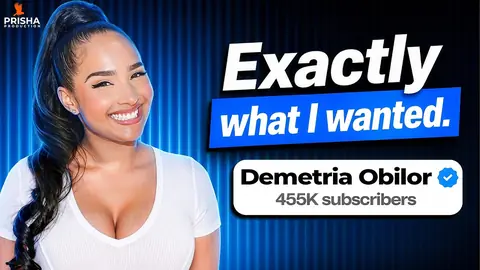
 Demetria Obilor
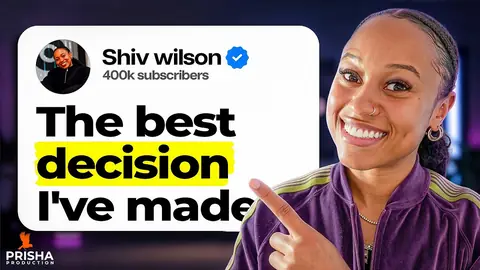
 Shiv Wilson

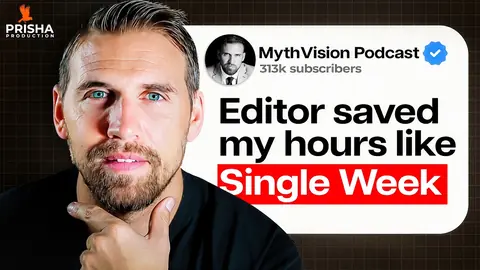
 MythVision Podcast
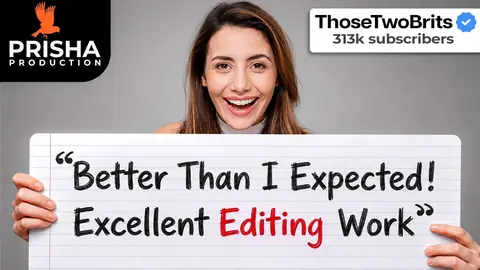
 Those Two Brits

 Omar Zaki
 Kemoy Martin