






The short answer
Video podcast editing turns your raw cameras and audio into a finished 16:9 episode, with camera switching, audio cleanup, color correction, captions, chapters, an intro, outro and lower thirds, plus vertical clips for Shorts, Reels and TikTok. EditBros charges $500 per episode up to 20 minutes of final runtime and $50 per clip up to 60 seconds. Longer episodes are quoted on a free 30-minute call.
Why video podcast editing matters in 2026
Podcasts are now something people watch, often on a TV. The newest figures we could verify:
- More than 1 billion monthly viewers. YouTube reports more than 1 billion monthly active podcast viewers, a figure it first gave as of January 2025 and repeated in May 2026. YouTube Premium users (including trials) watched over 800 million hours of podcasts in April 2026.
- More of it happens on TV. Viewers watched over 700 million hours of podcasts on living room devices in October 2025, up from 400 million hours a year earlier, according to YouTube.
- YouTube is the most-used podcast service. Edison Research’s The Podcast Consumer 2026 found that 58% of Americans 12 and older consumed a podcast in the last month, a record, and that 37% of weekly podcast consumers use YouTube most for podcasts, up from 31% two years earlier (Radio Ink). Edison’s Q3 2026 data still ranks YouTube first, with Spotify at 17% and Apple Podcasts at 9% (Talkers).
- Most fans watch, at least some of the time. In Edison Podcast Metrics, the share of US weekly podcast consumers who actively watch video podcasts rose from 73% in 2023 to 82% by Q3 2025, passing audio-only listening (78%) for the first time. Edison’s Q1 2026 data showed a slight audio-only rebound, and plenty of people do both.
Our view: once your audience is watching, the edit is part of the show. A single locked-off shot with uneven audio sits in the same feed, and on the same TV, as fully edited shows. Clips do the other job: they put your best moments in front of people who haven’t found the show yet.
What’s included in our podcast editing services
A full episode is priced as one of our long-form videos, so it gets the complete long-form edit. For a video podcast, that means:
- Camera and angle switching. Cutting between each person’s camera and the wide shot, so whoever is talking, or reacting, is on screen.
- Story edit and pacing. Tightening false starts, long pauses and tangents you want gone, while keeping the conversation natural.
- Audio cleanup and leveling. Reducing background noise and evening out voices, so no one is much louder than the others.
- Color correction. Matching your cameras, so skin tones and white balance don’t jump between angles.
- Captions and chapters. Captions on the episode and chapter timestamps for your YouTube description.
- Intro, outro, titles and lower thirds. Guest name cards and branded openers, built as templates from your brand kit so every episode matches.
- Motion graphics and B-roll. Motion graphics in the full episode; B-roll, zooms, sound effects and music in the clips.
- Vertical clips. Hook-first 9:16 edits up to 60 seconds, with animated captions styled to your brand.
Our editors work in Adobe Premiere Pro and Adobe Audition, plus AI tools where they speed things up.
What you get back: a full episode plus podcast clips
- The full episode in 16:9, with captions, chapters, intro and outro.
- Podcast clips for YouTube Shorts, Instagram Reels, TikTok, LinkedIn and paid social, exported for 9:16, 1:1 and 4:5. For clip-only work, see our short-form video editing service.
How much does podcast video editing cost?
| What you need | Price | Details |
|---|---|---|
| Full episode, up to 20 minutes of final runtime | $500 per episode | 16:9, the complete long-form edit |
| Full episode longer than 20 minutes | Quoted on a free 30-minute call | The same long-form edit, quoted for your show |
| Podcast clip, vertical, up to 60 seconds | $50 per clip | Hook-first edit, animated captions, exports for 9:16, 1:1 and 4:5 |
| 100+ videos a month | Scoped on a call | A dedicated editing pod |
The 20 minutes is the length of the finished episode, not your raw footage, and there’s no limit on raw footage. If your finished episodes run longer than 20 minutes, we quote them on the call instead of squeezing them into a flat price.
Some example totals:
- Clips only: you publish the full episode yourself and we cut 10 clips: 10 × $50 = $500.
- Episode plus clips: one 20-minute episode and 6 clips: $500 + 6 × $50 = $800.
- A weekly show: four 20-minute episodes and 20 clips a month: $2,000 + $1,000 = $3,000.
Build your own mix in the business price calculator, or compare market rates in our video editing cost guide.
How our video podcast editing service works
- Book a free 30-minute call. Tell us your format, cameras, episode length and how many clips you want. Episodes over 20 minutes get their quote here.
- Upload everything. Every camera angle and every audio track, plus your brand kit.
- Your editor cuts the full episode. One dedicated editor learns your show and your brand.
- Then the clips. Your editor pulls moments that stand on their own and recuts each one hook-first for vertical.
- Review and revise. Turnaround is 24–72 hours and revisions are unlimited. Our edit bay in Ahmedabad, India works while North America sleeps, so footage uploaded in the evening is often edited by the next morning.
- Scale monthly. Order more clips in a launch month and fewer in a quiet one.
How to record a video podcast that’s faster to edit
A few choices at recording time make the edit faster and the result better. The technical details below come from Riverside’s and Zoom’s own documentation.
- Record every voice on its own track. Separate tracks let an editor clean up and level each person without touching the others. Zoom’s computer recording can save a separate audio file for each participant.
- Record locally, not just the call. Riverside records each participant’s audio and video on their own device and uploads in the background, which it says keeps recordings at studio quality even if the connection lags or drops. It records up to 10 people on separate tracks, in up to 4K video and uncompressed 48kHz WAV audio if your equipment supports it.
- Give each person a camera, plus a wide shot. Our view: one camera per speaker and one wide shot give your editor real choices. With a single camera, the only option is to crop in.
- Frame for vertical, too. Leave space around each speaker so a 9:16 crop for clips still looks good.
- Clap once on camera. One clear clap at the start gives every camera and microphone the same sync point.
- Send the original files. Upload the camera and audio originals, not a compressed export of the call.
YouTube podcast editing: features to use in November 2026
We checked these on YouTube Help on 15 November 2026. Features vary by country and change often, so confirm them in YouTube Studio.
- Make your show a podcast playlist. On YouTube, a podcast is a playlist and each episode is a video in it. Podcasts can be eligible for YouTube Music, podcast badges and a spotlight on youtube.com/podcasts. You need a square thumbnail (YouTube recommends 1280 × 1280 pixels), and the playlist should hold full episodes only, so keep clips out of it.
- Add chapters. Manual chapters need at least three timestamps in your description, starting at 00:00, with each chapter at least 10 seconds long. Automatic chapters are on by default for new uploads, but not every video gets them.
- Watch clip length and music. Square or vertical videos up to three minutes count as Shorts, but a Short over one minute with an active copyright claim is blocked worldwide. Our clips are up to 60 seconds.
- YouTube Studio can cut clips, too. The video clips and Shorts tool turns segments of a long video into Shorts, with optional AI suggestions in select countries, and links public Shorts back to the full video as their related video. Our view: it’s handy for quick extras, while a clip from your editor adds a hook-first recut, captions styled to your brand, B-roll and sound design.
- An RSS feed isn’t a video podcast. If you deliver an audio show by RSS, YouTube uses your show art to create a static-image video, and RSS delivery is only available in select countries.
EditBros vs a freelancer vs DIY with AI tools
All three can produce a good show. The real differences are cost, who does the work and what happens in a busy week.
| EditBros | Freelance editor | DIY with AI tools (Riverside, Descript) | |
|---|---|---|---|
| Cost | $500 per episode up to 20 minutes (longer quoted), $50 per clip | Set by each editor: freelance video editors charge about $15–$150+ an hour | Descript paid plans from $16 a month billed annually; Riverside Pro billed $288 a year; plus your time |
| Who edits | A dedicated editor, with backup editors | One person | You, with AI help |
| Camera switching | Done by your editor | Depends on the editor | Descript’s Automatic Multicam detects who’s speaking and switches cameras (needs separate tracks) |
| Clips | Hook-first, animated captions, B-roll, exports for 9:16, 1:1 and 4:5 | Depends on the editor | Riverside’s Magic Clips picks highlights automatically; Descript includes Create Clips |
| Audio | Audio cleanup in every episode | Depends on the editor | Built in: Descript Studio Sound, Riverside audio enhancement |
| Turnaround | 24–72 hours | Agreed with each editor | As fast as you edit |
| Revisions | Unlimited | Agreed with each editor | Yours to make |
| Best for (our view) | Weekly shows that want episodes and clips without managing an editor | Occasional episodes and tight budgets | Simple shows and hosts who enjoy editing |
Prices and features as listed by Descript, Riverside and the Descript Help Center, checked 15 November 2026. Riverside’s own pages showed different prices that day, so confirm its price at checkout. Freelance rates: Twine’s rate guide (September 2026).
Our view: AI tools are good at fast first drafts: switching to whoever is talking, removing filler words and suggesting clips. Someone still has to judge which moments matter, check every cut and keep the show on-brand, and that’s the part you pay an editor for. For a fuller comparison, read AI video editing tools vs a human editor.
Is our podcast video editing service right for you?
It’s a good fit if you record on a schedule, want a full episode and clips from every recording, and would rather spend your time on guests and topics than in a timeline.
It’s not the best fit if you need a show scripted and filmed from scratch, need broadcast or TV-standard deliverables, aren’t open to an Adobe-based workflow, or want to approve every cut in real time.
We started as YouTubers. Now we edit for some of the biggest. So far: 13,700+ videos edited, 2,500+ business videos edited, and creators with 130M+ combined subscribers. Creators we’ve edited for include MythVision Podcast (319K subscribers), Sierra & Rhia FAM (54.8M) and Jeremy Hutchins (10.5M).
If your podcast is your main YouTube channel, also compare our YouTube video editing services: creator plans start at $1,499 a month and include 2 thumbnail options per video.
Tell us about your show on a free 30-minute call. Episodes over 20 minutes get a clear quote.
Sources
- YouTube Official Blog: New YouTube Premium features podcast fans will love (28 May 2026): 1 billion+ monthly podcast viewers; 800 million+ hours watched by Premium users in April 2026.
- YouTube Official Blog: Celebrating 1 billion monthly podcast users on YouTube (26 February 2025): the 1 billion figure, as of January 2025.
- YouTube Official Blog: How podcasts took over the living room in 2025 (18 December 2025): 700 million+ hours on living room devices in October 2025.
- Radio Ink: Edison: Every Podcast Frequency Measure Hits Record (5 June 2026): Edison Research’s The Podcast Consumer 2026 on reach, YouTube’s 37% share and video vs audio-only.
- Talkers: Edison: YouTube Dominates as #1 Podcast Platform (8 October 2026): Edison’s Q3 2026 platform ranking.
- YouTube Help: Create a podcast in YouTube Studio (checked 15 November 2026): podcast playlists and features.
- YouTube Help: Video chapters (checked 15 November 2026): chapter rules.
- YouTube Help: Understand three-minute YouTube Shorts (checked 15 November 2026): Shorts length and claim rules.
- YouTube Help: Video clips and Shorts in YouTube Studio (checked 15 November 2026): the clip tool.
- YouTube Help: Deliver podcasts using an RSS feed (checked 15 November 2026): static-image videos from show art.
- Riverside: Frequently Asked Questions (checked 15 November 2026): local recording and separate tracks.
- Zoom Support: Starting a computer recording (checked 15 November 2026): a separate audio file for each participant.
- Riverside: Plans & Pricing (checked 15 November 2026): Pro plan price and AI features.
- Riverside: Magic Clips (checked 15 November 2026): automatic highlight picking.
- Descript: Pricing (checked 15 November 2026): Hobbyist plan price and AI tools.
- Descript Help Center: Automatic multicam (checked 15 November 2026): automatic camera switching.
- Twine: Video editor rates guide (21 September 2026): freelance hourly rates.

 Andrea Jean Co
 Flying Wheels

 Demetria Obilor
 Shiv Wilson
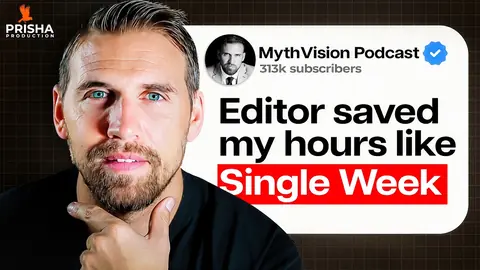
 MythVision Podcast
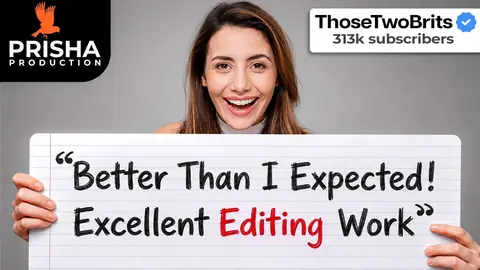
 Those Two Brits

 Omar Zaki
 Kemoy Martin